It is now possible to have 2D Video file to be converted to VR-3D (Virtual Reality 3D). Recently, iFunSoft has launched its iFun Video Converter, which is termed to be a free video converter that is Windows compatible, allowing quick conversion, supporting download of videos from those video sharing sites, VR-3D video conversion and DVD backup for the public.
Showing posts with label YouTube Video to MP3 converter. Show all posts
Saturday, 20 August 2016
Saturday, 18 July 2015
I Bet You Didn’t Know YouTube Could Do These 7 Tricks!
You may have spent quite a lot of time on YouTube browsing through the millions of videos that are available on this popular video sharing platform. Google has been constantly developing new features and improving upon the existing functionalities to make the viewing experience even better. But even YouTube has some secrets that it doesn’t reveal directly to the users. There are some intelligent beings who are able to figure out these tricks, which go beyond YouTube to MP3 conversions, and playback control mechanisms.
Check out these amazing tricks that you might not have known about.
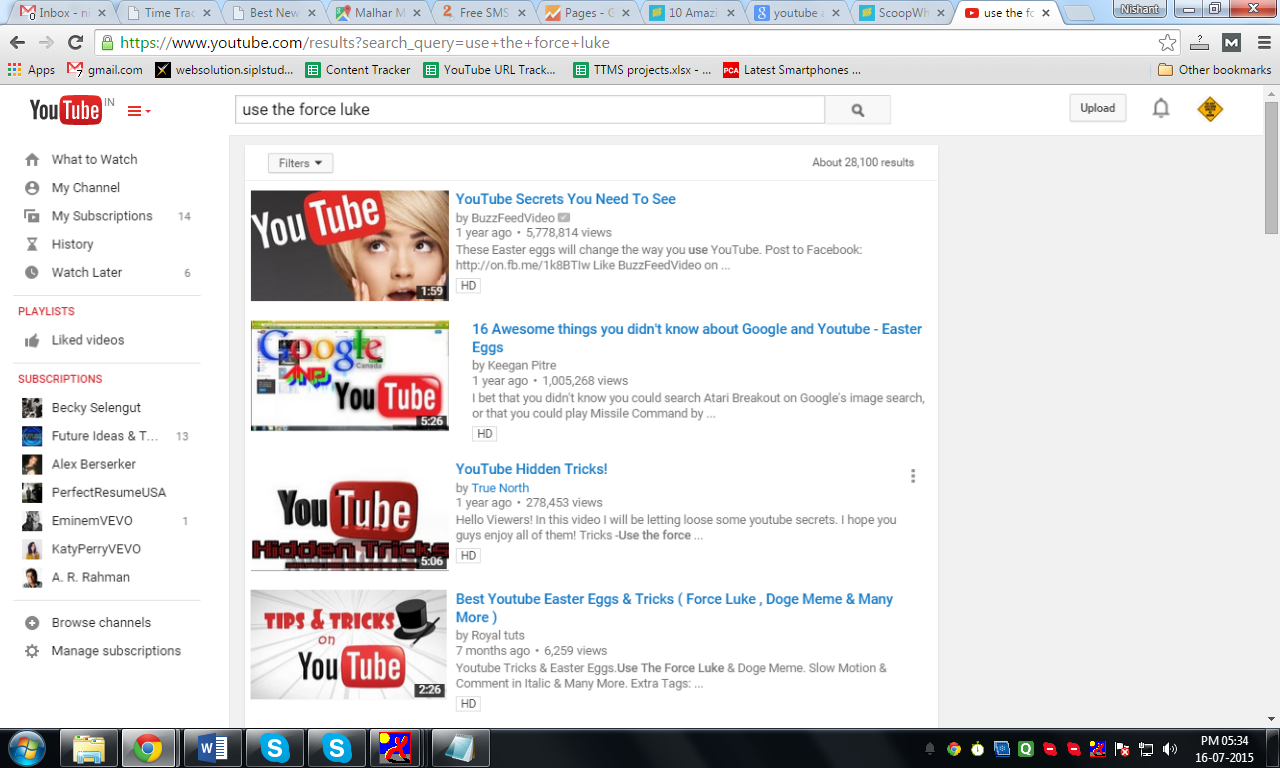
Make YouTube Appear Drunk with 'Use the force Luke' Query
The moment you type the query “use the force luke” in the search field, the entire screen will start to behave differently with bits and pieces moving around in a drunken state. Pretty cool I must say!
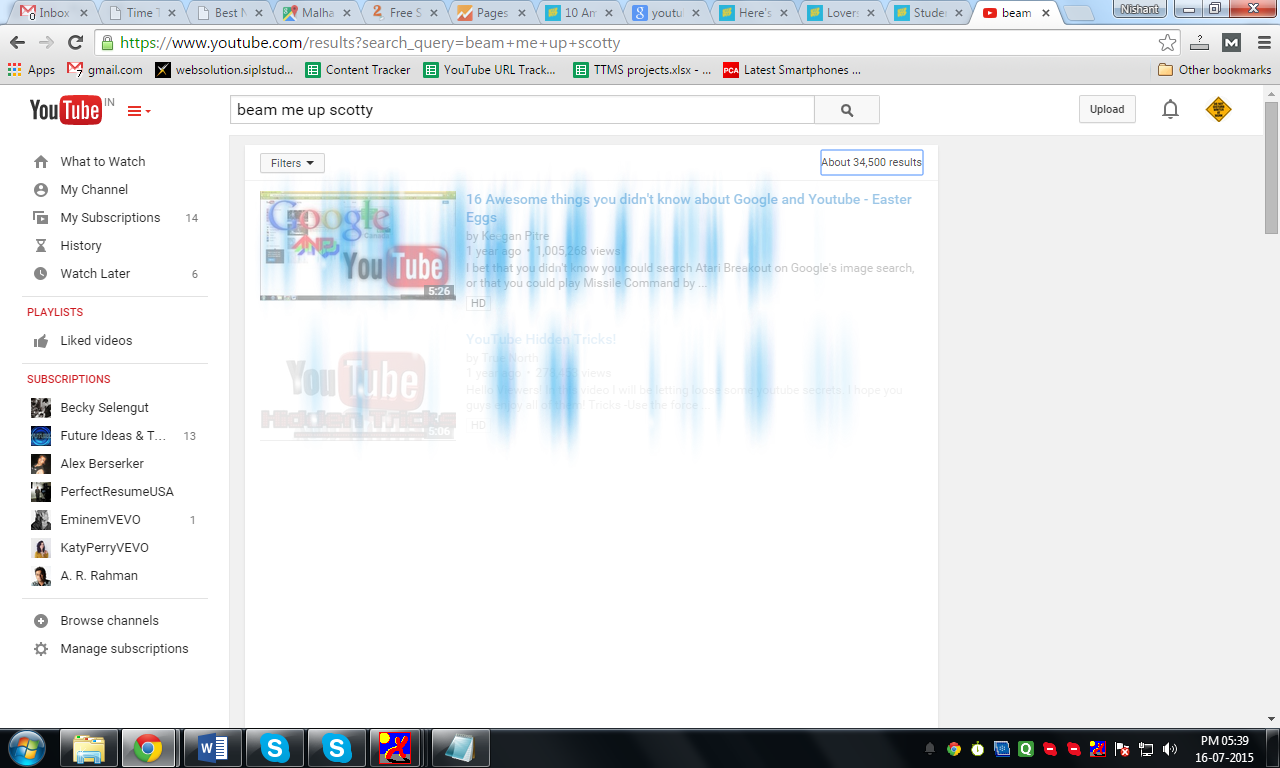
Get Magical Beams with “Beam Me Up Scotty” Query
The effect that you get with the query “beam me up scotty’ is exactly what you might have thought about. When you enter the query, you will blue streaks which indicate ‘beams”. This happens only once. So if you fail to see it the first time, just enter the query again.
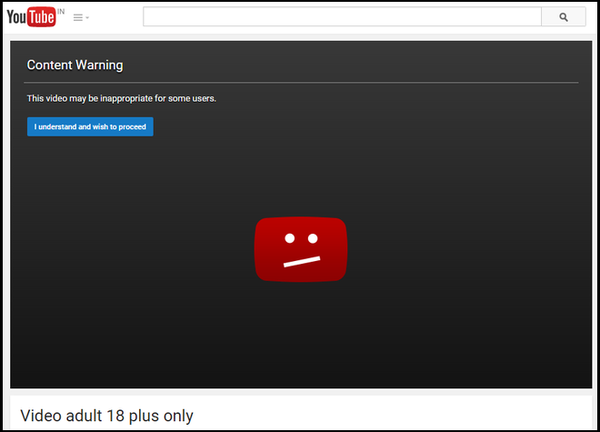
Watch Age Restricted Videos Without Signing In
Age restricted videos are meant for discretionary viewing because the content may not be suitable for all. However, these videos tend to tempt people, even those who do not wish to sign in. Well, now you can do that. All you need to do is to remove "watch?" from the URL, and replace the "v=" with "v/". Once done, hit the ‘enter’ button and you should be good to go.
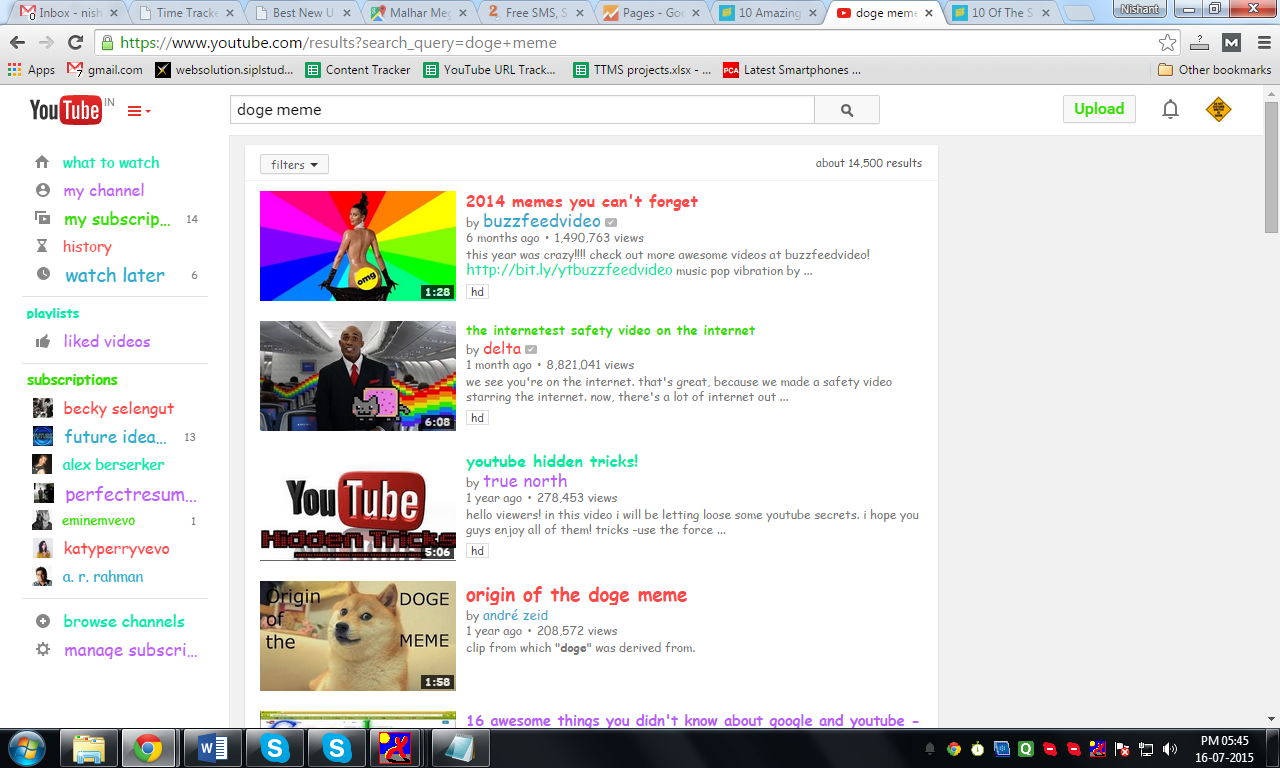
Make YouTube Colourful with the “Doge Meme” Query
Type in the words “doge meme” in the search field and press enter. The entire screen will become colourful in ways that you would never have imagined. It’s a fun and refreshing take on the regular appearance and layout of YouTube. Do give it a shot once.
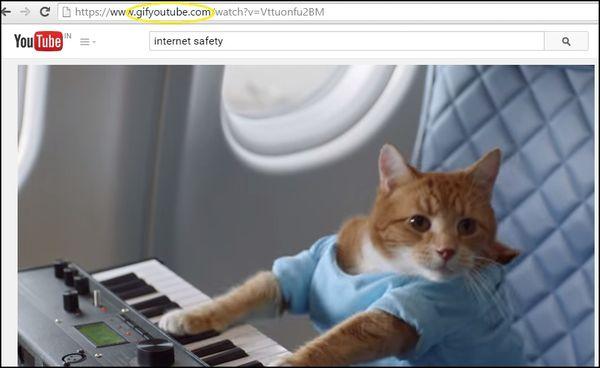
Convert YouTube Videos to .GIF by Adding ‘gif’ in the URL
There is always this one video which contains sections that we would love to make into GIF. Just add ‘gif’ in front of ‘YouTube’ in the URL. On pressing ‘enter’ you would be redirected to a gif maker where you may select the preferred length of the video for making the gif file.
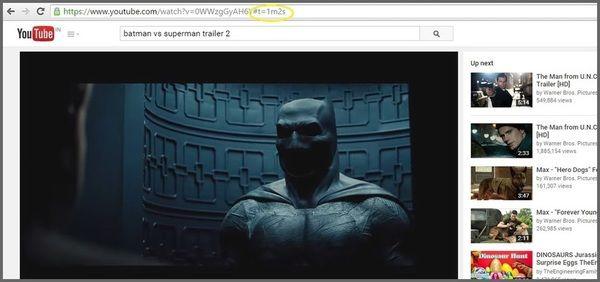
Start the Video from Any Point
Do you want to skip the intro sections and move in directly to the main scene? Just add "#t=" followed by the time you want your video to start from. For example, "#t=2m7s" or "#t=124s". However, you need to know the time at which you would like the video to start playing.
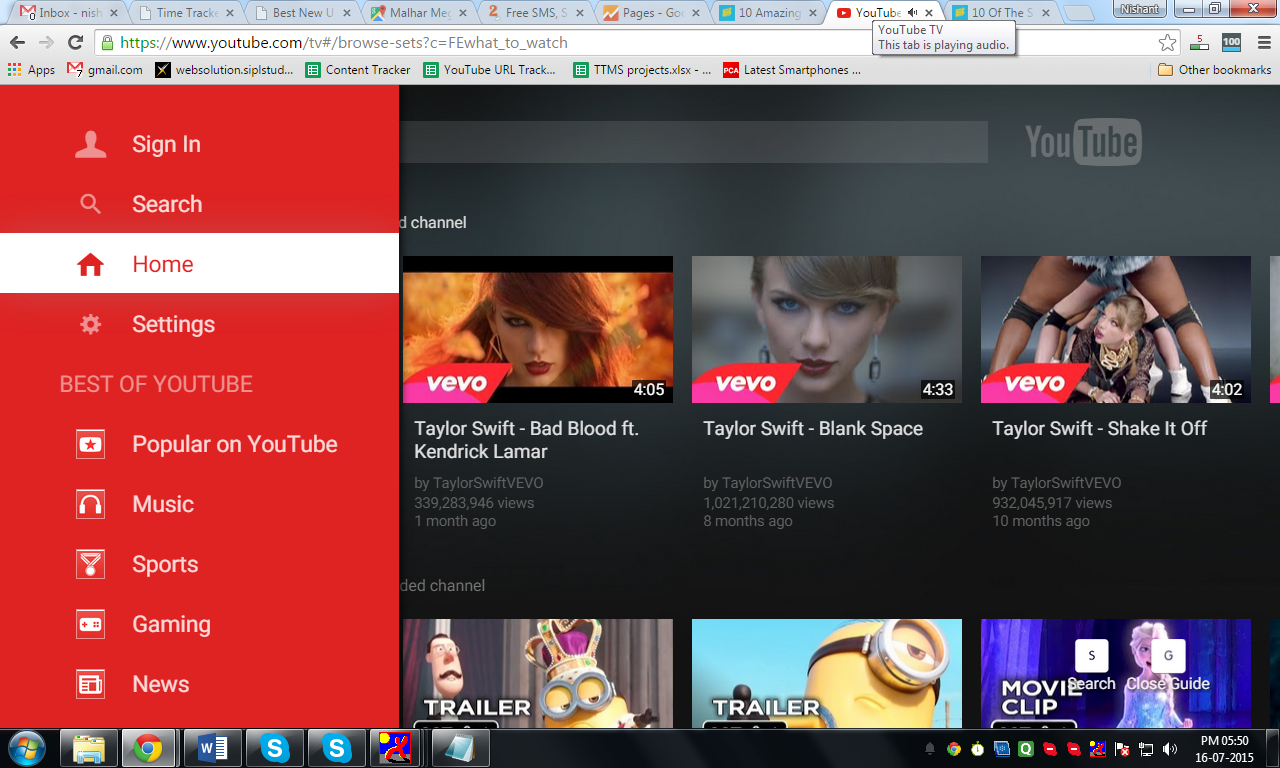
Operate YouTube With Your Keyboard Only
For those who do not wish to use their mouse for browsing YouTube, you need to add “/leanback” after the URL to arrive at a screen that is meant to be used only with the keyboard. You can lay back and relax while using nothing but the keyboard to find and play videos. This is a different experience and you should definitely try it out once.
Friday, 19 June 2015
How to Optimize YouTube Videos for Highly Effective Video Marketing
What started 10 years ago as a simple video sharing platform has now become one of the most powerful online media domains. Millions of users are active on this site every day and as per Alexa’s rank, YouTube is the third most popular website in the world today. People upload videos on their channels, and even download YouTube videos if they need to use it for some work or simply for viewing it offline. Who knew that this humble video sharing platform would become a key tool for marketers with which they are able to drive inbound traffic to their websites?
Leveraging the video search engine in YouTube is one thing, but to ensure that you content ranks on top of thousands of related videos is a challenge that needs more than just talent to pull off. It is quintessential that YouTube videos be optimized for coming up in the top search results. Without proper optimization, it would be very difficult for you to appeal to the users.
Check out the following tips for optimizing YouTube videos.
Be Original
It is needless to say that being original is the best and only way in which you would be able to stand out from the crowd. You don’t always have to create a video as the required information can be conveyed with the use of a presentation format supported by music or voice-over.
Keep the Video’s Length Between 2 and 4 Minutes
Unless it is a concert, shot play, movie or anything that is very interesting to watch, the average user will get bored pretty soon if the length of the video exceeds 4-5 minutes. The ideal length is between 2 and 4 minutes which is sufficient to put across your message.
Upload the Highest Possible Resolution
If you want to turn your videos into powerful marketing media, then it is important for the videos to be watermarked with your logo, company name, contact details, or just about anything that establishes a relation with you. You should include a watermark simply to lay claim over the content and prevent its misuse if someone were to download the YouTube video.
Add a Watermark
If you want to turn your videos into powerful marketing media, then it is important for the videos to be watermarked with your logo, company name, contact details, or just about anything that establishes a relation with you. You should include a watermark simply to lay claim over the content and prevent its misuse if someone were to download the YouTube video.
Use Captions and Subtitles
YouTube is a global platform and unless your video is filtered by regional restrictions, there is a good chance that people from around the world would view it. Providing captions and subtitles is a great way to ensure that the content of your video is communicated to people in different regions in their dialects. Not only would this make a good impression on such viewers, but it would also eliminate the possibility of misunderstanding or improper interpretation of the content.
Apply Basic SEO Concepts
YouTube functions as a general search engine, so the various aspects of SEO are applicable here as well. The search algorithm checks the title, the description, tags, number of views, the links, and ratings of the video. The way you engage users on your video’s page and the details provided there also account for the popularity of the video in terms of search engine rankings. By performing an SEO check on your video, you would be able to get the video ranked on YouTube as well as other search engines.
Consider Creating a Channel
A single video upload does not lead to a successful video campaign. Just like a blog, you need to keep adding fresh content periodically on your YouTube channel. With the addition of every new video, the users get to experience new information from you and they keep coming back which means you are able to retain users.
Tuesday, 31 March 2015
How to Convert YouTube Video to MP3 Format
Have you
always wanted to get the MP3 version of a video that you like to watch on
YouTube? If you did, you might have already tried your hand at several free YouTube
video converters and YouTube to mp3 online converters but you might
have faced certain quality issues in them or maybe the process was too
complicated, and also you could have ended up with a bundle of malware along
with the converted file.
To avoid
such issues, we recommend that you use OnlineVideoConverter as it is a great
free tool that is both simple to use and provides high quality YouTube to MP3
conversions.
Converting a YouTube Video to MP3
Here is how
you can convert your favourite videos to MP3 using OnlineVideoConverter’s free
online conversion tool.
- Go to YouTube or your favorite video site, search for your video and copy its URL / link. Do take note to copy the ntire web address, which includes copying the HTTPS / HTTP along with the complete web address. This does make a difference in identifying the destination.
- In a separate tab, open OnlineVideoConverter.com and select the “Extract audio or video from url” option. Paste the URL in the video link field and choose “.mp3” as the format for your conversion and click “Convert” to start the conversion process.There are various other formats such as wav, mp4 and avi which are supported, so feel free to try them as per your need.
Video Conversion in Process (Source:
onlinevideoconverter.com)
- Once the conversion process is completed, it would display a page for you download the converted file. Simply click on the “Download” button and you're done!
Important Tips to Consider
- Irrespective of your desire to convert your favorite online videos to mp3 or any other format, you should always ensure that the video is NOT copyrighted. If it is copyrighted, then it is best to leave it alone unless you can secure an express or written consent from the content’s owner wherein he / she permits you to use the content for the purpose specified by you.
- Always check the online video conversion tool’s authenticity and only go for the ones that are certified to be free from adware / malware or other potentially harmful components. You do not want to end up with your system being clogged up with viruses and malware.
Subscribe to:
Posts (Atom)