Tuesday, 5 May 2015

How to Download YouTube Videos Legally


Whenever you try downloading videos from YouTube or any other video sharing portal for that matter, then you experience fear. This fear stems from the fact that downloading videos from YouTube could be illegal and you could land up in loads of trouble. Well, technically speaking, downloading and using videos that you do not own or have the permission to use, is a violation of the intellectual property rights. But there are ways in which you can do this and much more without breaking the law. 

It is illegal to download copyrighted videos from YouTube and most other sources. It is a violation of YouTube’s terms of service to download videos that do not have a Download button or link beneath the video in question. Here is how you can work out a way to avoid any legal implications / issues and still get your favourite video.

Get Permission to Download Copyrighted Content

This is the best and safest way to avoid troubles while downloading content that you do not have ownership of. If you like a video that you wish to download, write to the owner specifying your interest to download the content. Make sure you mention the correct usage of the downloaded video and clarify your intentions so that you get permission for using the content. Depending upon the owner’s preference, you could either end up paying some amount for using the content, or you could get permission to use the content without having to pay any amount at all.

Download for Personal Use Only

If you are in urgent need for a video content, then you can download it using any of the free tools such as onlinevideoconverter and get it converted to a preferred format. However, you need to ensure that the end usage of the downloaded content is personal with no indulgence in activities aimed at making profit from the content. Any activity which generates money from the download content (which you do not own personally) is a direct violation of the copyright laws. If commercial usage is required, then get in touch with the owner of the content to seek permission for using it.

Download YouTube Videos for Offline Viewing

Countries like India often face issues with internet speed which causes problems in streaming videos in HD from platforms like YouTube. You might have faced this issue where continuous buffering is required for a video to stream in HD. Not only does this create frustration in the user, but it also reduces the goodwill of the brand owing to poor user experience. In order to cater to the needs of its users, YouTube has come out with a download feature which is meant to enable offline viewing of contents. However, there are certain conditions applicable to the downloaded videos. 


Not all videos can be download with this option due to the prevalence of copyright infringement issues. If YouTube considers any video suitable for downloading, then it will display the “download’ icon beneath the player. Once this icon is clicked, a separate dialogue box will open up indicating different video resolution qualities and you can choose which one to download. Once downloaded, the video would be available for offline viewing for 48 hours, after which it would not be playable. This download facility is currently available for smartphones and iPad devices only where it can be viewed multiple times till the validity of the video expires. 


This download facility has been made available for countries like India where public internet is patchy, and overall internet speeds are slow. In developed countries, there is the provision of public Wi-Fi where streaming videos on YouTube should not prove to be a hassle. If you are planning on downloading videos to your computer with this method, then it would be an exercise in futility. The download icon would only be enabled in the app which can be accessed on mobile devices. With this facility, YouTube intends to provide a better user experience without contributing towards copyrighting infringement.

Understand The Technical Implications

It is important for you to understand the difference between infringement of a legal term and the violation of policies of a website like YouTube. Technically speaking, the legality of downloading YouTube videos lies in a grey area where it has become difficult to define the applicable things with clarity. 

Go through the guidelines and policies of YouTube and make sure you read the fine print before indulging in any activity that could land you in trouble. Avoid videos such as trailers, music videos, commercial videos, etc. that have copyrights. After all, you would not want to fall in legal trouble for being impatient and not following the law as stated.


Friday, 1 May 2015

Video Conversion Software Vs Online Video Converters


When it comes to converting online videos and downloading YouTube videos, there is always an ongoing debate on the download method. Some prefer online video converters whereas others prefer a dedicated software for such conversions / downloads. While both have their own pros and cons, in the end it all boils down to your personal preference and the extent of convenience that you would like to have. 

In order to facilitate easy comparison, we would be considering YouTube videos and the ease of conversion / download with the help of both the aforementioned methods.

Video Conversion Software

This is a dedicated software created for the sole purpose of downloading as well as converting videos. As this is a software, it needs to be installed on the device (computer) before it can be used.

Pros:

·      The video conversion / download process does not terminate in the event of disconnection of the internet. As soon as the connection is restored, the process picks up from the last point. This is a major advantage as connectivity problems could consume large data charges and result in a lot of time as well as efforts being wasted over a simple process. 

·        Most YouTube videos are in the .flv format which makes them incompatible with the media players available on computer systems. With a dedicated converter software, the file gets converted during the process and you get the file in the preferred compatible format. 

Cons:

·        This may not be a preferred method as the downloaded setup can come with various ads and at times, there may be malware bundled along with the setup file. 

·       The usage of the tool gets restricted to the system on which the software is installed. Moreover, the URL needs to be copied and pasted in the provided field before the download commences. This can be a bit cumbersome as compared to online tools which have extensions that only require the click of a button to initiate the download. 

Online Video Converters

Online video converters are tools that can be accessed via the web browser without the need for any software to be installed for using it. Since the tool is basically integrated into a website that provides such services, it becomes easy to access the conversion / download tool anywhere. Nowadays, online video converters even maintain compatibility with mobile browsers which makes them super convenient. 

Pros:

·         The tool can be accessed from any device having internet access and a compatible web browser.
·         With the use of extensions and / or widgets, it is possible to download the file in the preferred format with a single click. The extension / widget places a small section near the player where the option to download / convert the video is provided. This eliminates the need for the URL to be copied and pasted in the tool in a separate window in the browser. 

·       Most online tools take safety to be an important element in their offerings. This is why YouTube converters online undertake the necessary measures to prevent malware or irrelevant content from being downloaded along with the desired file. 

Cons:

·         In case of disconnection of internet, the conversion / download process can terminate and the entire process would start from the beginning once connectivity is restored. This is a direct loss of internet data, time and efforts. 

The Verdict!

As it is clearly evident, online video converters have earned an upper hand to video downloading software. This has mainly been achieved due to the flexibility and convenience offered by online conversion tools. However, the decision rests with the user and his / her preference. If quick and reliable conversions are needed, then online video converters are the best choice. For downloading videos over a faulty network connection, it is better to use a software so that the process resumes from where it left off, after the connection is restored. But online video converters are definitely recommended to all for their sheer convenience and ease of usage.


Tuesday, 21 April 2015

5 Best YouTube to MP4 Online Conversion Tools

YouTube to MP4 Online Converters


Still looking for the best YouTube to MP4 converter online for getting your hands on your favourite video? With the internet flooded with all sorts of online conversion tools, it becomes difficult to find the ones that are safe to use along with providing high quality MP4 files after conversion.

Don’t worry, we have compiled a list of the best YouTube to MP4 converters. This should narrow down your choices to a select few. Just make sure you make all the necessary consideration before selecting the tool that really fulfils your requirement in an effective manner.

Save Vid

Save Vid online converter


This is a popular and reliable YouTube to MP4 converter with good spyware protection, enhanced privacy and complete compatibility with various file formats. The best thing about this tool is that it is completely free and its simple interface allows for easy usage, even for the newbie. In terms of video and audio quality, this tool is one of the few which actually delivers high quality conversions.

Online Video Converter


Online Video Converter


Online Video Converter is a 100% free online conversion tool which provides one of the best YouTube to MP4 conversions with complete spyware protection. You can access this from your web browser as well as mobile browsers. This makes it a really versatile tool. The video conversions are super-fast and offer high quality video files. There is also no need to sign up for using the free service.

Moreover, this is an online conversion tool which means that no software needs to be downloaded in order to convert the files to desired formats. There is also no limit on the number of conversions and the size of the file to be converted, so you can get as many conversions as you desire. All these features make it a really amazing and highly convenient YouTube to MP4 converter. It is highly recommended to all.

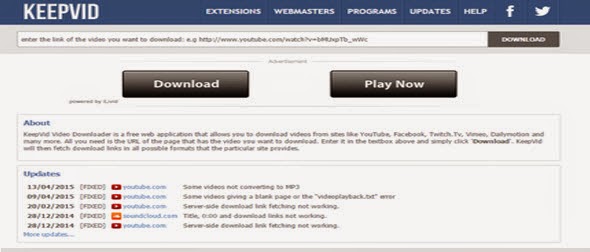
Keep Vid


Keep Vid online converter

Now this is a tool that all of you must be familiar about. Keep Vid is often one of the first choices when it comes to high quality online video conversions. The advantage of using this tool is that you can make it work on specific parameters. Moreover, there is no delay or lag when carrying out such specific conversions. The only downside of using this tool is that you may irrelevant material along with your files. There is no stopping it, so the best thing that can be done is to maintain proper vigilance.

Zamzar


Zamzar Online converter

Zamzar is a highly popular online conversion tool which offers high quality YouTube to MP4 conversions. It is virus-free, compatible with iPhone, and has high speed. The tool is available free of charge which makes it even more appealing to users. However, there is a catch to the “free usage” feature as free conversions are allowed for files that are up to 100 MB in size. There is also the issue of lengthy conversion times which can be rather off putting at times. But it does provide a good enough alternative to other video converters.

Clip Converter


Clip Converter online tool

This online video conversion too might appear to be similar to most other tools, but it offers one significant benefit that might not be available in most converters. With Clip Converter, you can specify the resolution in which you would like to get the converted video file. If you are not too sure about using this tool, then you need not worry as this tool comes with a trial duration during which you can easily access its features.

It offers one of the cleanest YouTube to MP4 conversions while maintaining the highest quality levels, including adjustments for aspect ratio and frame rate. The downside to this tool is that the trial feature allows just one conversion, after which you need to pay to get your files converted.